

MuseScore is, for most people, the obvious first choice for notation software. It is free, open source, capable of full orchestral scores, and backed by a large community sharing sheet music and plugins. If you already have it installed and it does what you need, there is no strong reason to switch.
But MuseScore is a desktop application, and that creates real friction in specific situations: working on a shared computer without admin rights, jumping between a laptop and a tablet, collaborating in real time, or just wanting to sketch a melody without a full install. This is where alternatives, particularly browser-based and AI-assisted ones, earn their place. None replace MuseScore's depth for large ensemble scoring. What they do is cover the moments MuseScore is not built for.
A few things vary between alternatives worth knowing upfront: where the tool runs (browser versus desktop), how you enter notes (palette, MIDI keyboard, text syntax, or AI generation), whether it supports real-time collaboration, which formats it exports, and its cost model. With that in mind, here are six tools worth knowing.
NotaGen: AI-Assisted And Browser-Based Notation
NotaGen is a free web-based toolkit built around a different starting point than traditional notation editors: instead of placing every note by hand, you can generate a score, edit it, or pull one out of audio or a scanned page.
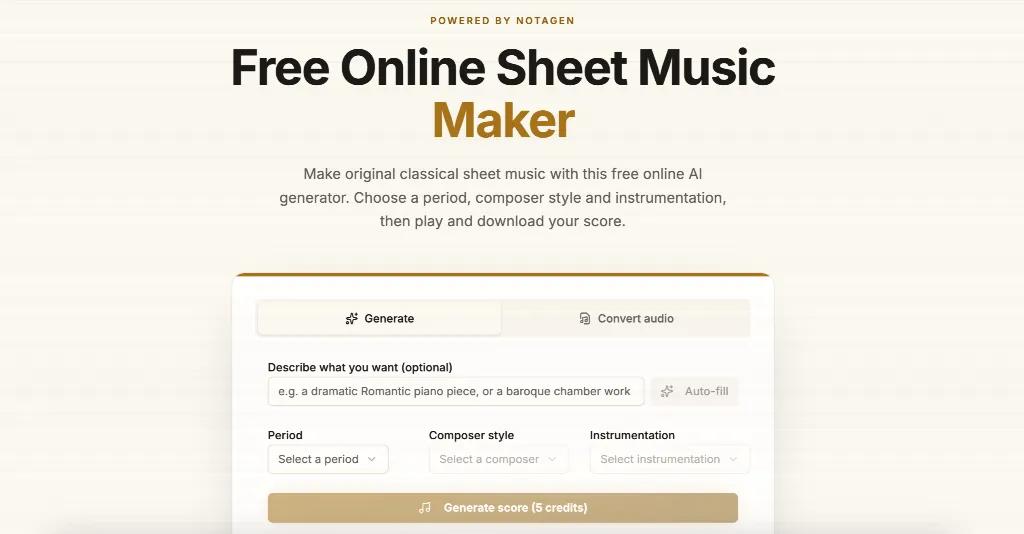
What it is: A set of browser tools rather than a single app. The Music Score Maker generates original, classical-style compositions guided by period, composer influence, or instrumentation, useful for sketching ideas or generating practice material rather than reproducing existing songs. The Music Notation Software is a straightforward ABC notation editor for typing in melodies and seeing them engraved live, and Blank Sheet Music generates printable staff paper (standard, guitar tab, or grand staff) for handwriting or classroom use.
Strengths: No install, works from any browser, and the audio-to-notation and scanner tools cover ground MuseScore does not: turning a recorded melody or a photographed page of sheet music into an editable score. It exports to MusicXML, MIDI, ABC, and PDF, so output moves easily into other software, including MuseScore.
Tradeoffs: It is honest about its limits: the AI generator creates original material rather than transcribing specific copyrighted songs, and audio-to-notation works best on piano and solo instrument recordings. Full band mixes need manual cleanup after conversion. Core utility tools are free and client-side; AI generation and transcription use a credit-based system.
Best for: Quick sketches, generating practice pieces, converting a recording or scan into an editable score, or printing blank staff paper. Not a replacement for hand-engraving a full orchestral score from scratch.
Flat.io: Collaborative Classroom Notation
Flat.io is a browser-based notation editor built with music education and real-time collaboration as its core focus.
Strengths: Multiple people can edit the same score simultaneously, similar to a shared document. It integrates with Google Classroom and other LMS platforms, includes built-in playback, and has a clean, student-friendly interface. Mobile apps exist alongside the web editor.
Tradeoffs: The free tier caps the number of scores you can keep and limits some features; classroom and institutional features sit behind paid plans. For large orchestral or film scores, it is not as fast or deep as MuseScore's desktop engine.
Best for: Teachers running a classroom, students collaborating on an arrangement, or anyone who wants notation with no install and real-time sharing.
Noteflight: Established Web Notation With a Learning Curve Payoff
Noteflight has been around longer than most browser notation tools and is widely used in schools and by hobbyist composers who want a full-featured web editor.
Strengths: Deep feature set for a browser app, including guitar tab, chord diagrams, and an embeddable player for sharing scores online. Noteflight Learn adds classroom management tools for assignments and grading.
Tradeoffs: The free tier is fairly limited on the number of scores and editing features; most people who use it seriously end up on a paid plan.
Best for: Composition classes and teachers with institutional access to Noteflight Learn, or anyone comfortable trading free-tier limits for a mature, well-documented editor.
Dorico SE: Free-Tier Depth From a Professional Engraver
Dorico SE is Steinberg's free tier of Dorico, one of the most respected professional notation programs, alongside Sibelius and Finale.
Strengths: Engraving quality is excellent, arguably the best on this list, because it inherits the same engine as paid Dorico tiers. Note input and playback are polished.
Tradeoffs: It is a desktop download, not browser-based, and the free tier caps you at two staves per project, so it is not viable for orchestral or big-band writing. Unlocking more staves means paying for Dorico Pro or Elements.
Best for: Solo instrument or small ensemble pieces (piano, guitar, duets) where you want professional-grade engraving for free and do not mind a desktop install.
LilyPond: Text-Based Engraving For Typographic Control
LilyPond takes a different approach: instead of clicking notes onto a staff, you write a text file describing the music, and it compiles that into a formatted score.
Strengths: Output quality is often described as closer to traditionally engraved published scores than what GUI editors produce, especially for complex spacing. It is scriptable, version-control friendly since a text file diffs cleanly, and completely free with no tiers.
Tradeoffs: The learning curve is real. You are writing a domain-specific syntax, not dragging notes, and there is no visual editor unless you pair it with a separate frontend.
Best for: People comfortable with code or markup who want maximum control over the final printed page, or who want scores to live in a plain-text, version-controlled format.
Soundslice: For Interactive, Playback-Linked Notation
Soundslice is best known as an interactive sheet music and tab platform that syncs notation to audio or video playback, letting you slow down, loop, and follow along with a real recording.
Strengths: The sync-to-recording feature is distinctive: you can transcribe or import a score and line it up with an audio or YouTube performance, valuable for learning by ear. It also includes a capable notation editor and guitar tab support.
Tradeoffs: Its notation editor is not built to compete with MuseScore or Dorico on pure engraving depth; it is optimized around the playback-and-practice workflow. Advanced features and larger score libraries require a paid plan.
Best for: Guitarists, transcribers, and self-taught musicians who want notation tied to a recording for practice, rather than composers writing from scratch.
Comparison At a Glance
Tool | Runs in browser | Best for | Cost |
|---|---|---|---|
MuseScore | No (desktop) | Full scores, general use | Free, open source |
NotaGen | Yes | AI sketches, audio/scan to score, blank staff paper | Free tools, credits for AI features |
Flat.io | Yes | Classroom collaboration | Free tier available, paid plans |
Noteflight | Yes | Web composition with tab and playback | Free tier available, paid plans |
Dorico SE | No (desktop) | Small ensemble, top-tier engraving | Free tier, paid upgrade |
LilyPond | No (compiler) | Text-based, publication-grade layout | Free, open source |
Soundslice | Yes | Practice synced to recordings | Free tier available, paid plans |
How To Choose
If you need a full orchestral score and already know MuseScore, keep using it. If you work across devices or need real-time collaboration, look at Flat.io or Noteflight. If you want the cleanest engraving for just a couple of staves, Dorico SE is worth the desktop install. If you think in text and version control, LilyPond rewards the learning curve. If your workflow starts from a recording or a photo rather than a blank page, a browser tool like NotaGen fills that gap without asking you to install anything first.
FAQ
Is there a completely free alternative to MuseScore with no paid tiers?
MuseScore itself remains fully free and open source. LilyPond is also entirely free with no paid tier, though it uses a text-based workflow instead of a visual editor. Most browser-based tools, including NotaGen's core utilities, offer free access with optional paid or credit-based features for advanced use.
Can I convert a photo or PDF of sheet music into an editable score without MuseScore?
Yes. Tools built around optical music recognition, such as NotaGen's scanner, can turn a scanned or photographed page into MusicXML or MIDI that you can then edit, in NotaGen itself or by importing into MuseScore or another editor.
Do browser-based notation tools work as well as desktop software for large scores?
For small to medium pieces, browser tools are generally comparable. For large orchestral or film scores with many staves, desktop software like MuseScore, Dorico, or Sibelius still tends to be faster and more stable, since it is not constrained by browser memory limits.