

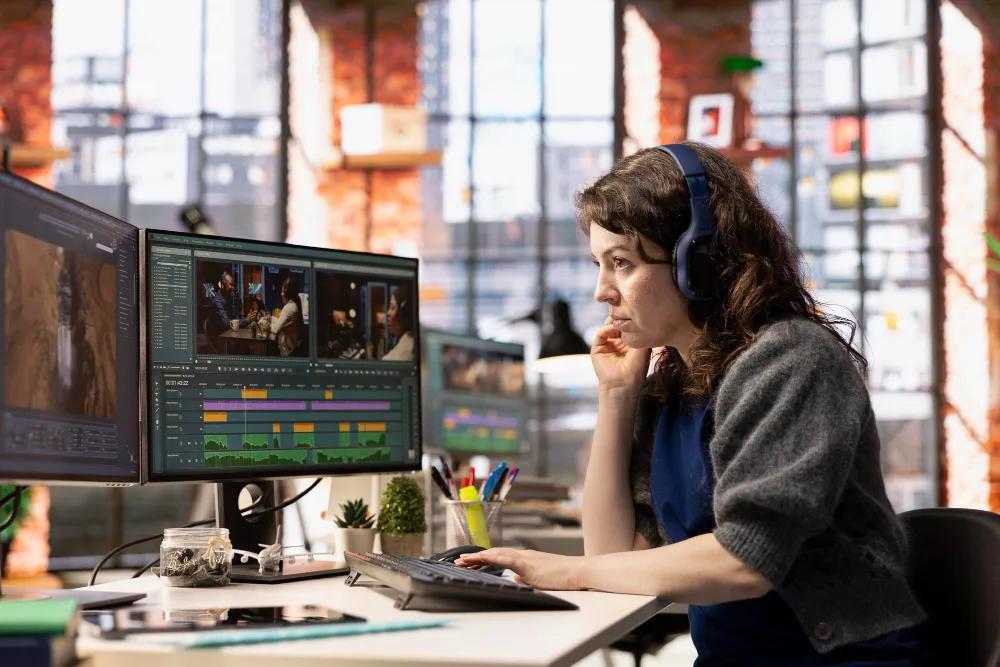
Videos have turned out to be among the most effective ways of delivering information, promoting goods, building a brand, and communicating with people. However, capturing footage is just a starting point. The actual thing that turns footage into a video is editing.
Fortunately, one does not necessarily need sophisticated equipment to learn the fundamentals of it. There are contemporary solutions for browsers that allow people to cut clips, arrange footage, insert text and music, set options, and export videos without the need for complex desktop programs. If someone is looking for an easy way to begin, then online video editing may well suit his or her needs.
Start With a Clear Editing Goal
Before starting up the editor, think of what you want from your final video. A product demo, YouTube video, social media post, video tutorial, and family video might need completely different approaches in the editing process.
First of all, you will need to know:
Your target audience
What is the main goal of your video?
Which platform do you intend to publish the video to?
Its optimal length
Important points that must be emphasized in the video
Planning the editing process before the editing itself will save you a lot of time. In the same way, YouTube creators guidelines suggest thinking of the editing process in advance and while shooting the video.
Organize Your Footage First
It becomes quite difficult to edit a video when one does not have an idea of what the required clips are from the start. The first step is to go through the footage and select the best.
Eliminate any footage that is blurry, repetitive, badly-framed, and/or irrelevant. If you have recorded the same footage multiple times, compare the footage and choose the one that conveys the message best.
You can then put together the other clips as per the storyline. This is especially relevant for tutorial and business videos where there is a need for the information to flow logically.
Build the First Cut
After organizing your video clips, make a rough first edit. During this stage, it is crucial to think more about the story than any visual effects.
Arrange the clips on the timeline and delete all unneeded parts. Cut any pauses, repetitions, too lengthy introductions, or anything else that does not help deliver the message.
You do not need to create the perfect version right away. This first edit should help you create a general idea of the sequence of things.
This is where editing goes beyond simply slicing videos. The order and duration of the shots affect how fast and how viewers perceive the story. It is especially recommended to take the rhythm into account when editing on YouTube.
Add Text and Supporting Visuals
This can make the video more comprehensible, especially where the text is used to present a topic, draw attention to an important issue, or add context to the audience who will watch without depending on the sound.
It is also possible to create projects involving photos, videos, among other media using online editors. For instance, the Clideo online video editor can include text within videos along with changes such as font, size, boldness, color, background and even picture-in-picture, and split screen editing options.
The main thing is to be moderate. The text must complement the video.
Ensure that any significant information on screen is brief and easily comprehensible to viewers. If viewers require several seconds to understand a paragraph, then there is too much information within the visual.
Pay Attention to Audio
Audio that is not clear can render an otherwise good video hard to understand. Background sounds, varied volume, or even music can detract from the message you intend to convey.
During the editing process, ensure that you have listened carefully to the dialogue and that the voice remains clear. Should you wish to use any background music, make sure that it complements the message conveyed.
Online video editing software such as Clideo makes the process of editing both audio and video simple by putting the two aspects on one timeline. You can edit audio by adding music to the video as well as adjust other media settings using its editor.
As a final step, preview the whole video after the sound has been added. Small issues that may have been overlooked during editing will stand out clearly in the whole sequence.
Choose the Right Format for Your Platform
It is possible that a video created in the landscape format will not function well when presented in a vertical format in a phone. Aspect ratio should therefore be taken into consideration before exporting.
Where the video will be placed:
YouTube: Landscape is frequently used for long-form videos.
Instagram: Vertical and square ratios might suit depending on the placement.
Social media: Vertical ratios work well for mobile-first short-form video.
Presentations: Landscape may be more appropriate for presentations.
The Clideo tool comes with aspect-ratio presets such as square, vertical, and landscape, which are meant for platforms like YouTube, Facebook, Instagram, and Twitter.
Determining the format early will help avoid cropping out text and important subjects.
Make Simple Edits Before Using Effects
However, transitions, filters, animations, and other effects can add to the visual appeal of a project, and they should serve some specific purpose.
The typical mistake of the beginners is the attempt to use some effect on every cut. The result of that would be the video looking amateur and not professional.
It is better to start with the basics:
Delete unnecessary shots.
Enhance the flow.
Balance the rhythm.
Make sure dialogue is understandable.
Include helpful text.
Fix any visual flaws.
Use effects where it's appropriate.
Editing is all about the choice rather than features.
Edit Online Without Installing Software
As a one-off tool, online editing software may be a more convenient option than downloading a bulky desktop application. Clideo's editor is accessible within a browser and works on both Mac, Windows, Android, and iOS. According to the service, it does not necessitate any downloads or installations.
The editing process entails uploading photos, videos, and audio, positioning them on a timeline, making changes to the files individually, adding text, and exporting the finished video. It is possible to upload files from a device and also Google Drive or Dropbox.
This tool might prove to be useful for content creators who switch between various devices and require basic editing skills but not professional editing software.
Review the Finished Video Before Exporting
Never assume a project is complete because all of the clips are placed on the timeline. Watch the entire video from start to finish prior to exporting.
Check for:
Unnatural edits
Lengthy silences
Wrong text
Abrupt audio shifts
Useless clips
Poor timing of transitions
Clips that have been cropped
Areas that are too slow or too fast
It might also be beneficial to watch the video as if you were viewing it for the first time. Consider whether the opening makes you want to keep watching and if each major segment adds something valuable.
In the event that the video is going to be posted on a website that has analytics for its viewers, it would be wise to check the retention statistics after the post. YouTube advises the use of retention statistics to figure out where viewers are losing interest and what distinguishes successful videos.
A Simple Video Editing Workflow
An efficient workflow will work well for novice and experienced editors:
Plan → Organize → Cut → Arranging → Audio → Text → Visual adjustment → Formatting → Review → Output
This process will allow you to concentrate on communicating rather than tools. Once you become more experienced, you can add new techniques like colour correction, animation, layers, and sound design.
However, the basics stay the same. Good editing begins from the right footage and knowledge of what should be seen, heard, and understood by the audience.
Conclusion
The process of learning how to edit videos online doesn't need to be associated with a complex production process. Through organizing your footage, making a good first cut, improving the pace, balancing audio, adding helpful text, and choosing a format, you can create better and more interesting videos.
The process of editing online gives access to those basic elements, and for more advanced users, such basic principles can become the basis for more complex projects. However, the main thing in the process of editing videos online is not to know all the effects but to understand which changes will make your video more clear and interesting to watch.