

According to the American Payroll Association, businesses lose an estimated 2.2% of gross payroll to time theft and inaccurate tracking each year—a figure that translates to thousands of dollars annually for even modest-sized companies. For small to medium-sized business owners juggling tight margins, this silent drain on revenue demands a smarter approach. Enter the mobile time clock app with GPS, a modern solution designed to eliminate guesswork from employee attendance and bring precision to workforce management. Traditional methods—paper timesheets, manual punch cards, honor-based reporting—create gaps that lead to payroll errors, buddy punching, and zero visibility into remote teams. Business owners need tools that work where their employees work, whether that's a construction site, a client's office, or a home workspace. This article explores how GPS-enabled mobile time clock apps address these exact pain points, breaking down the essential features like biometric verification and cloud-based management, the tangible benefits they deliver, and a clear roadmap for implementing one in your organization without disrupting daily operations.
The Growing Need for Accurate Employee Attendance Tracking
Every business relies on knowing when employees are working, yet the methods many companies still use were designed for a different era. Paper timesheets depend entirely on employee honesty and memory—two notoriously unreliable factors. Basic punch clocks solve part of the problem but introduce another: buddy punching, where one employee clocks in for an absent coworker. The American Payroll Association estimates that 75% of businesses are affected by this practice, and it costs employers billions collectively each year.
Beyond outright fraud, manual systems generate constant low-level errors. Illegible handwriting leads to misread hours. Forgotten clock-ins result in estimated entries that skew payroll. Managers spend hours each pay period reconciling discrepancies instead of focusing on operations. For businesses with field workers, delivery drivers, or employees spread across multiple job sites, the problem compounds—there's simply no way to verify that someone was where they claimed to be at the time they reported. These inefficiencies don't just inflate labor costs; they erode trust between employers and employees while creating compliance risks during audits. Small and medium-sized businesses, which lack dedicated payroll departments to catch mistakes, feel this impact most acutely and need solutions that automate accuracy rather than relying on manual oversight.
What is a Mobile Time Clock App with GPS? A Modern Solution Explained
A mobile time clock app with GPS is a workforce management tool that transforms any smartphone or tablet into a verified attendance system. Instead of requiring employees to physically visit a stationary time clock, these apps allow workers to clock in and out from their mobile devices while the built-in GPS confirms their exact location at the moment they punch. This creates a digital record that pairs each time entry with geographic coordinates, giving employers definitive proof that an employee was at an authorized work location when they logged their hours.
The technology works by accessing the smartphone's location services during each clock event. When an employee taps "clock in," the app captures their GPS coordinates and compares them against predefined geofences—virtual boundaries set around approved work sites. If the employee falls outside the acceptable radius, the system can flag the entry, deny the punch, or alert a manager depending on how the business configures its rules. This happens in seconds, requiring no extra effort from the employee beyond opening the app.
What distinguishes modern solutions from simple GPS trackers is their integration of multiple verification layers. Many apps now incorporate facial recognition technology that requires a selfie at clock-in, functioning as a biometric time clock that confirms identity alongside location. These systems operate on cloud-based infrastructure, meaning attendance data syncs instantly to a centralized dashboard accessible from anywhere. Managers can review punches, approve timesheets, and export data to payroll software without touching a physical device. This shift from hardware-dependent systems to digital, remote-capable platforms reflects how work itself has changed—distributed teams, flexible schedules, and multiple job sites are now standard rather than exceptional, and attendance tools need to match that reality.
Key Features That Enhance Efficiency and Address Business Needs
The right mobile time clock app with GPS does more than record hours—it creates an ecosystem of verification, accessibility, and automation that addresses the specific challenges business owners face daily. Understanding how each core feature solves a real operational problem helps owners choose the right tool and maximize its value from day one.
GPS Tracking: Ensuring Location Accuracy and Remote Workforce Management
GPS tracking serves as the foundation of location-verified attendance. When employees clock in, the app records their coordinates and checks them against geofenced work zones you define—whether that's a retail store, a client site, or a designated remote work area. This eliminates the possibility of employees logging hours from unauthorized locations, giving managers a verifiable audit trail for every shift. For businesses managing field technicians, cleaning crews, or sales teams spread across a region, GPS tracking provides real-time visibility without requiring supervisors on-site. Managers can see who's working where at any moment, identify scheduling gaps instantly, and generate location reports that simplify client billing for service-based businesses. The result is accountability that doesn't depend on trust alone but on documented, objective data that holds up during disputes or compliance reviews.
Facial Recognition and Biometric Time Clocks: Advanced Verification for Security
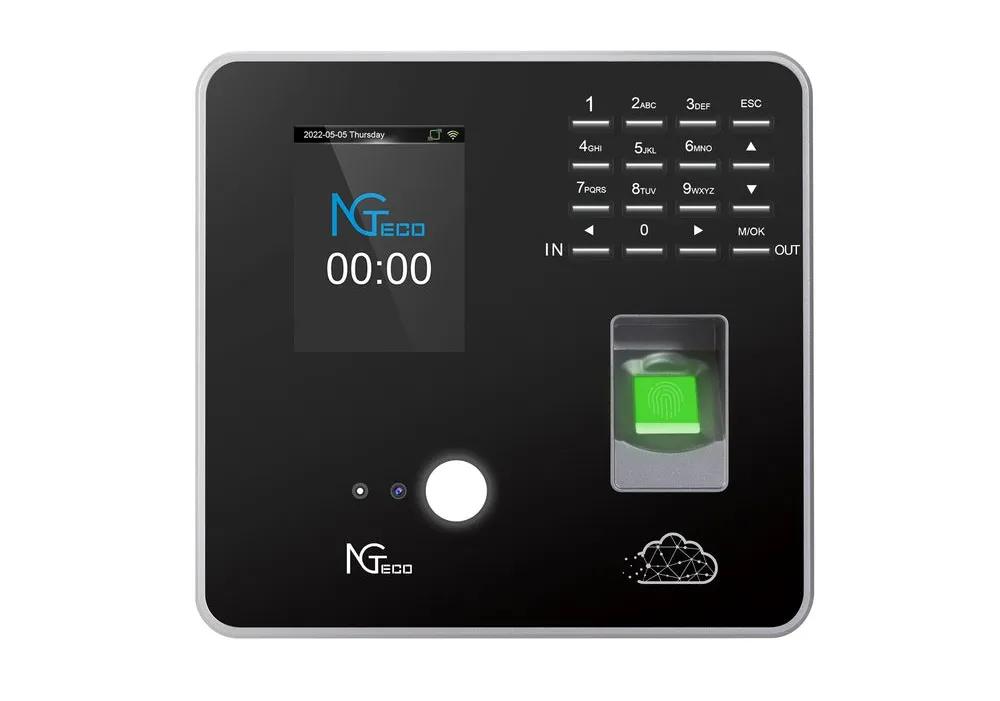
Facial recognition technology adds an identity verification layer that GPS alone cannot provide. When an employee clocks in, the app prompts a quick selfie and compares it against a stored biometric profile using AI-driven matching algorithms. This makes buddy punching physically impossible—no one can clock in on behalf of a coworker when the system demands a live facial match. Unlike fingerprint scanners that require dedicated hardware, facial recognition works through any smartphone camera, keeping costs low while maintaining high security. For businesses that prefer dedicated hardware terminals at fixed locations, manufacturers like NGteco offer biometric time clock devices with built-in facial recognition that complement mobile app solutions, providing flexibility for hybrid setups. For businesses in industries with strict labor compliance requirements, biometric time clocks create indisputable records proving exactly who worked and when, reducing liability during wage disputes or regulatory audits.
Cloud-Based Employee Attendance Management: Centralized Control and Accessibility
Cloud-based infrastructure means attendance data lives on secure remote servers rather than local machines, giving authorized managers access from any device with internet connectivity. Timesheets update in real time as employees punch, eliminating end-of-week data entry marathons. Most platforms integrate directly with popular payroll software, allowing approved hours to flow seamlessly into pay calculations without manual re-entry. This centralized approach supports businesses operating across multiple locations or time zones, ensuring consistent policies and unified reporting regardless of where work happens.
Implementing a Mobile Time Clock GPS App: Step-by-Step Solutions for Business Owners
Deploying a mobile time clock app with GPS doesn't require a dedicated IT team or months of preparation. With a structured approach, most small to medium-sized businesses can move from selection to full adoption within a few weeks. The key is treating implementation as a phased process rather than a single switch-flip moment.
Start by assessing your specific business needs and compliance landscape. Identify how many employees need tracking, whether they work at fixed locations or move between sites, and what labor regulations govern your industry. A construction company with crews at rotating job sites has different geofencing needs than a healthcare staffing agency placing nurses at client facilities. Document your must-have features—GPS verification, facial recognition, overtime alerts, payroll integration—and separate them from nice-to-haves so you can evaluate options clearly.
Next, research platforms that match your requirements. Test free trials with a small group of employees before committing. Pay attention to how intuitive the clock-in process feels, whether the GPS accuracy meets your standards, and how smoothly data exports to your existing payroll software. Once you've selected a solution, plan your rollout by designating a launch date and building a brief training program. Employees need to understand how to download the app, enable location services, set up their biometric profile, and troubleshoot common issues like weak GPS signals indoors. Frame the tool as something that protects their recorded hours rather than surveillance—this reduces resistance significantly.
After launch, integrate the platform with your HR and payroll systems so approved timesheets flow directly into pay calculations without manual transfers. Finally, monitor adoption metrics during the first month. Check for missed punches, geofence violations, and employee feedback. Adjust your geofence radii if legitimate work areas are being flagged, refine notification settings to reduce alert fatigue for managers, and address any training gaps quickly. This iterative approach ensures the system works for your team's actual workflow rather than forcing people into rigid processes that create new friction.
Transform Your Workforce Management with GPS-Enabled Time Tracking
Inaccurate time tracking quietly drains revenue, erodes workforce trust, and creates compliance vulnerabilities that no small or medium-sized business can afford to ignore. Mobile time clock apps with GPS directly address these challenges by combining location verification, biometric identity confirmation, and cloud-based data management into a single accessible platform. GPS geofencing ensures employees are where they need to be, facial recognition eliminates buddy punching without expensive hardware, and real-time cloud syncing gives managers centralized control over attendance data regardless of how many locations or remote workers they oversee. Together, these features replace guesswork with documented accuracy and transform payroll processing from a weekly headache into a streamlined, largely automated workflow. For business owners managing field teams, multiple sites, or hybrid schedules, the return on investment extends beyond recovered payroll dollars—it includes reclaimed administrative hours, stronger audit readiness, and a culture of transparent accountability. The technology is accessible, implementation is straightforward, and the cost of inaction grows with every pay period. Take the first step by evaluating your current tracking gaps, testing a platform that fits your operational needs, and committing to a solution that matches how your business actually works today.