

How to Choose the Best Digital Signage Software for Restaurants: Affordable MagicINFO Alternatives
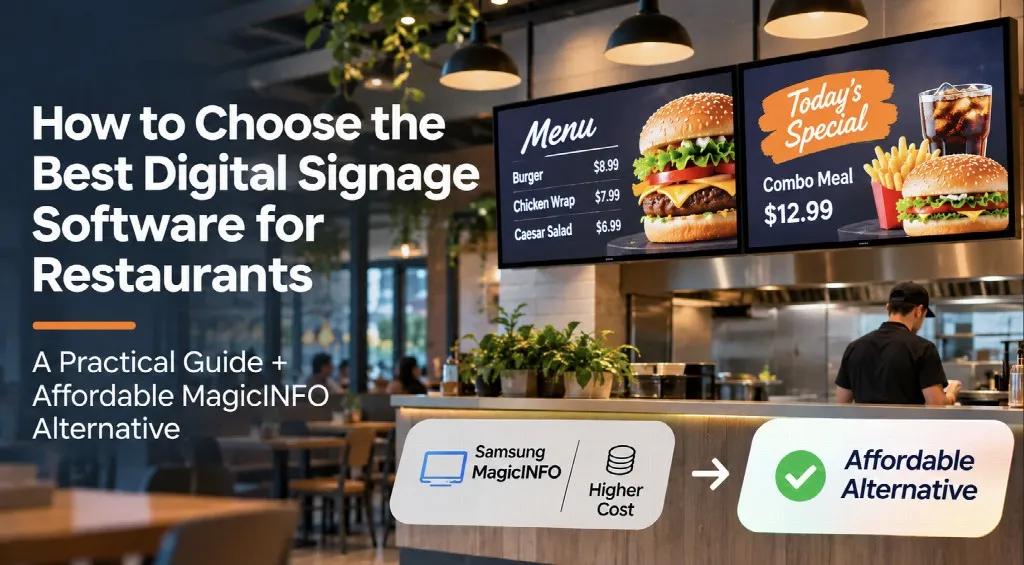
Running a successful restaurant requires more than great food and excellent customer service. Today, digital technology plays an important role in attracting customers, improving the ordering experience, and keeping restaurant operations efficient.
One of the most effective tools for modern restaurants is digital signage. From interactive-looking menu displays to promotional screens, digital signage helps restaurants communicate with customers and update information without constantly printing new materials.
However, choosing the best digital signage software for restaurants can be challenging, especially when comparing features, hardware compatibility, and subscription costs.
Many restaurant owners initially consider Samsung MagicINFO because of its integration with Samsung commercial displays. While MagicINFO offers powerful management capabilities, its licensing and cloud subscription costs may be higher than smaller restaurants are willing to pay.
Fortunately, affordable MagicINFO alternatives such as BuzzBlender provide practical digital signage management without requiring expensive enterprise software.
Why Restaurants Need Digital Signage Software
Digital signage has become increasingly popular in restaurants, cafés, fast-food chains, and food courts.
Unlike traditional printed menus, digital menu boards allow restaurant managers to change prices, promote special offers, and display attractive food photography within minutes.
For example, a restaurant can display breakfast menus in the morning, automatically switch to lunch specials in the afternoon, and promote dinner combinations in the evening.
The best digital signage software should help restaurants:
Display digital menus with food images and prices.
Update menu content remotely.
Schedule breakfast, lunch, and dinner promotions.
Manage multiple screens from one dashboard.
Highlight seasonal dishes and special offers.
Maintain consistent branding across restaurant locations.
Reduce the cost of repeatedly printing menus.
These features are particularly valuable for restaurants that frequently update their menus or operate several locations.
How to Choose the Best Digital Signage Software for Your Restaurant
Before selecting a digital signage platform, restaurant owners should evaluate several important factors.
1. Easy Menu Management
Restaurant employees should be able to update menu boards without advanced technical knowledge.
A good digital signage platform makes it simple to upload images, change menu prices, and replace promotional content.
Cloud-based software is especially convenient because managers can update screens remotely instead of manually changing content on each display.
2. Content Scheduling
Restaurants often serve different menus throughout the day.
The best restaurant digital signage software should support automated scheduling, allowing businesses to display different content depending on the time.
For example:
7:00 AM – Breakfast menu
11:00 AM – Lunch specials
3:00 PM – Afternoon promotions
6:00 PM – Dinner menu
Automated scheduling reduces manual work and helps ensure customers see relevant offers.
3. Hardware Compatibility
Some digital signage platforms work primarily with specific display manufacturers.
Samsung MagicINFO, for example, is designed around Samsung’s commercial display ecosystem.
However, restaurants may use Samsung, LG, Android-based devices, or Windows media players.
Choosing software that supports multiple platforms can provide greater flexibility when expanding or replacing screens.
4. Affordable Pricing
Software pricing is one of the most important considerations for independent restaurants.
A restaurant with five digital menu boards may not need advanced enterprise features, complicated integrations, or expensive licensing packages.
Instead, it may benefit from affordable cloud-based software that provides reliable content playback, scheduling, and remote screen management.
This is why many businesses explore alternatives to Samsung MagicINFO.
Samsung MagicINFO: Is It Too Expensive for Small Restaurants?
Samsung MagicINFO is a well-known digital signage management solution designed for Samsung commercial displays.
It offers content scheduling, centralized screen management, and advanced device administration.
However, the total cost depends on the licensing model, deployment method, and required features.
For example, one MagicINFO service provider lists cloud subscriptions starting at approximately €15 per screen per month for MagicINFO Lite and €32 per screen per month for Premium.
For a restaurant operating five screens, this could mean paying €75–€160 monthly, depending on the selected plan, before applicable taxes or setup charges.
These are example reseller prices rather than universal Samsung pricing. Other MagicINFO deployments, including locally installed and certain Lite configurations, may have different costs.
While advanced MagicINFO features can be useful for large organizations, smaller restaurants may not need everything included in these packages.
A restaurant that simply wants to display menus, schedule promotions, and update prices remotely may prefer a more affordable solution.
BuzzBlender: An Affordable Alternative to Samsung MagicINFO
For restaurant owners searching for an affordable MagicINFO alternative, BuzzBlender is worth considering.
BuzzBlender is a cloud-based digital signage platform designed to simplify content management across compatible commercial displays and media players.
Its main advantage for restaurants is straightforward functionality combined with accessible pricing.
According to its published pricing information, BuzzBlender starts at just $5 per screen per month.
This makes it particularly attractive for independent restaurants, coffee shops, fast-food businesses, and small restaurant chains.
Why BuzzBlender Is a Good Choice for Restaurants
Affordable Subscription Pricing
Restaurant owners can manage digital menu boards without committing to high monthly software expenses.
For example:
1 screen: $5 per month
3 screens: $15 per month
5 screens: $25 per month
10 screens: $50 per month
These examples use the published Basic subscription rate and exclude hardware, installation, and additional integrations.
Remote Content Management
Restaurant managers can update digital menu boards remotely using a centralized dashboard.
This is especially useful when changing prices, introducing seasonal dishes, or updating promotions across multiple restaurant locations.
Automated Menu Scheduling
BuzzBlender supports content scheduling, allowing restaurants to display different menus and promotional materials throughout the day.
Multiple Display Options
BuzzBlender supports compatible Samsung Tizen, LG webOS, Android, Windows, and browser-based setups.
This flexibility can help restaurant owners avoid relying exclusively on one display manufacturer.
Promotional Content
Restaurants can use digital screens to showcase high-margin dishes, meal combinations, seasonal drinks, and limited-time offers.
Videos and attractive food photography can make menu boards more engaging.
Comparing BuzzBlender and Samsung MagicINFO for Restaurants
Both platforms can help restaurants manage digital signage, but they serve somewhat different requirements.
Samsung MagicINFO is particularly relevant for businesses that operate Samsung commercial displays and need advanced device administration.
BuzzBlender focuses on affordable content management, scheduling, and support for multiple compatible display platforms.
For a small restaurant with three or five menu screens, BuzzBlender may provide the essential functionality at a significantly lower recurring software cost than certain paid MagicINFO cloud subscriptions.
However, businesses that require advanced Samsung-specific remote hardware controls should verify whether BuzzBlender supports their exact requirements before switching.
Where to Find the Best Digital Signage Software
Choosing the right digital signage solution requires comparing more than subscription prices.
Restaurant owners should consider ease of use, content scheduling, hardware compatibility, scalability, and the features included in each pricing plan.
If you want to compare available platforms and discover affordable solutions for your restaurant, explore BuzzBlender’s guide to the best digital signage software.
The guide covers digital signage platforms for different business needs, including restaurants, cafés, retail stores, and businesses managing multiple screens.
It is a useful starting point for restaurant owners who want to understand their options before investing in digital menu board software.
How Digital Signage Can Help Restaurants Reduce Costs
Digital signage is not only about improving the appearance of a restaurant.
It can also help reduce operational expenses.
Traditional printed menus require replacement whenever prices change or new dishes are introduced.
Digital menu boards eliminate many of these recurring printing requirements.
Restaurant managers can also update promotions instantly without asking employees to replace physical posters.
For businesses operating multiple locations, centralized content management can save additional administrative time.
Choosing affordable digital signage software further reduces recurring technology expenses.
For example, a restaurant using five screens with BuzzBlender’s $5 monthly Basic subscription would spend approximately $300 annually on software.
That predictable pricing can be appealing to businesses trying to control operational costs.
Final Thoughts: What Is the Best Digital Signage Software for Restaurants?
The best digital signage software depends on your restaurant’s size, budget, hardware, and operational requirements.
Large restaurant chains may need advanced integrations, extensive device monitoring, and enterprise-level management capabilities.
However, independent restaurants, cafés, and smaller food-service businesses often prioritize simplicity, reliable content scheduling, and affordable monthly subscriptions.
Samsung MagicINFO remains an option for restaurants using compatible Samsung commercial displays, but its paid licensing and cloud services may not be the most economical choice for every business.
For restaurants seeking a cost-effective alternative to MagicINFO, BuzzBlender offers an appealing combination of cloud-based content management, flexible scheduling, and pricing starting at $5 per screen per month.
By choosing the right platform, restaurant owners can modernize their menus, simplify daily operations, and deliver a better customer experience without overspending on digital signage software.